
Before the flight
See the schedule and pick up the student’s training story.
Flight instructor software. Built by a CFI.
One lesson. Both logbooks. Student progress. Billing handled in the same flow. DualGiven connects the work around flight instruction, from the first student document to the checkride endorsement.
Instructor workspace · $39/month or $390/year after trial
Card required. Cancel before your trial ends to avoid a subscription charge.
Your students. Your business. One workspace.
A calendar here. A logbook there. Endorsements in a folder. Payment reminders in your texts. DualGiven connects the instructor side of flight training around the student and the lesson.
See the schedule and pick up the student’s training story.
Record the work, update paired logbooks, and choose how to settle the lesson.
Keep progress, endorsements, review work, and documents close at hand.
Take a look inside
Actual DualGiven app views, shown with demonstration data.
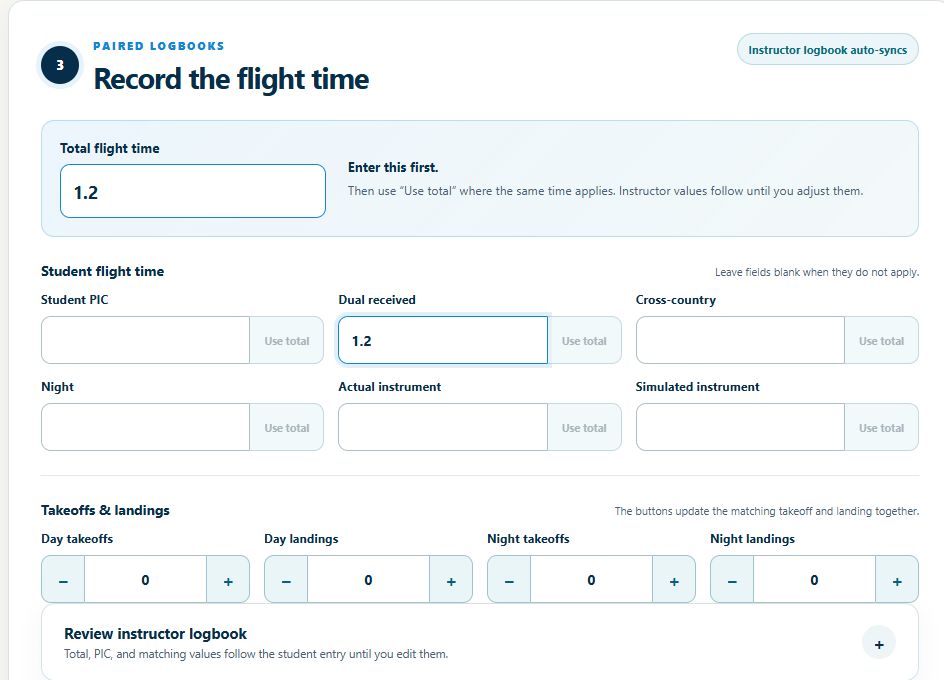
Enter flight times, select the program-specific training items you covered, and add billable instruction time. Review and sign, with separate values for the student and instructor logbooks. Choose an authorized saved payment method, an emailed invoice, or an outside payment.
You review the lesson and payment choice before signing.
Explore lesson billing →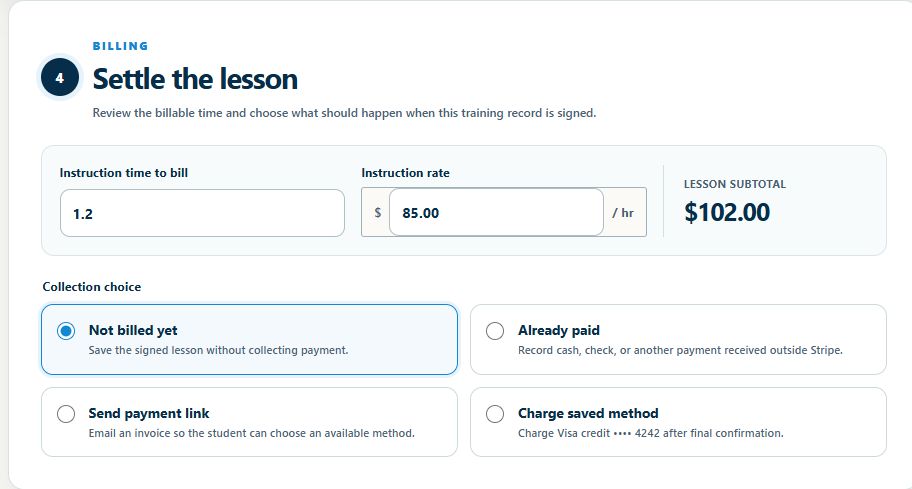
Turn a PDF, source URL, or training topic into a quiz draft. Choose question types and coverage, review the result, then assign it in the student portal. AI-assisted grading and explanations help you follow up on what needs more work.
Explore quizzes →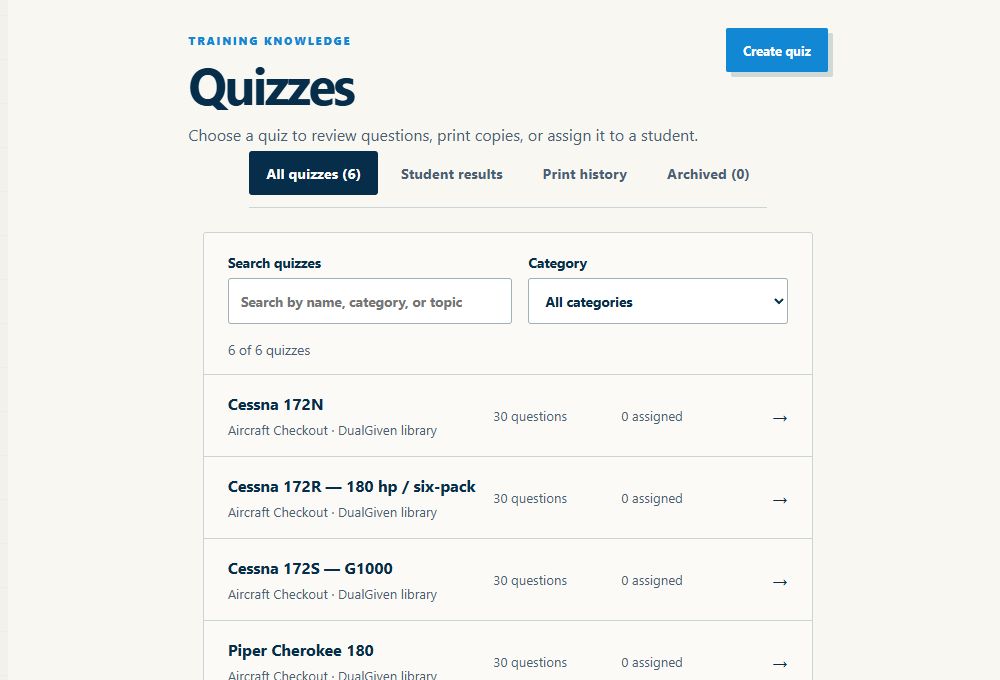
At your desk. In the briefing room. Between flights.
Start your instructor subscription on the website. Sign in with the same account on the web and in the iPhone and iPad apps. Student access is included.
Set up your workspace, organize students, review records, and manage billing in your browser.
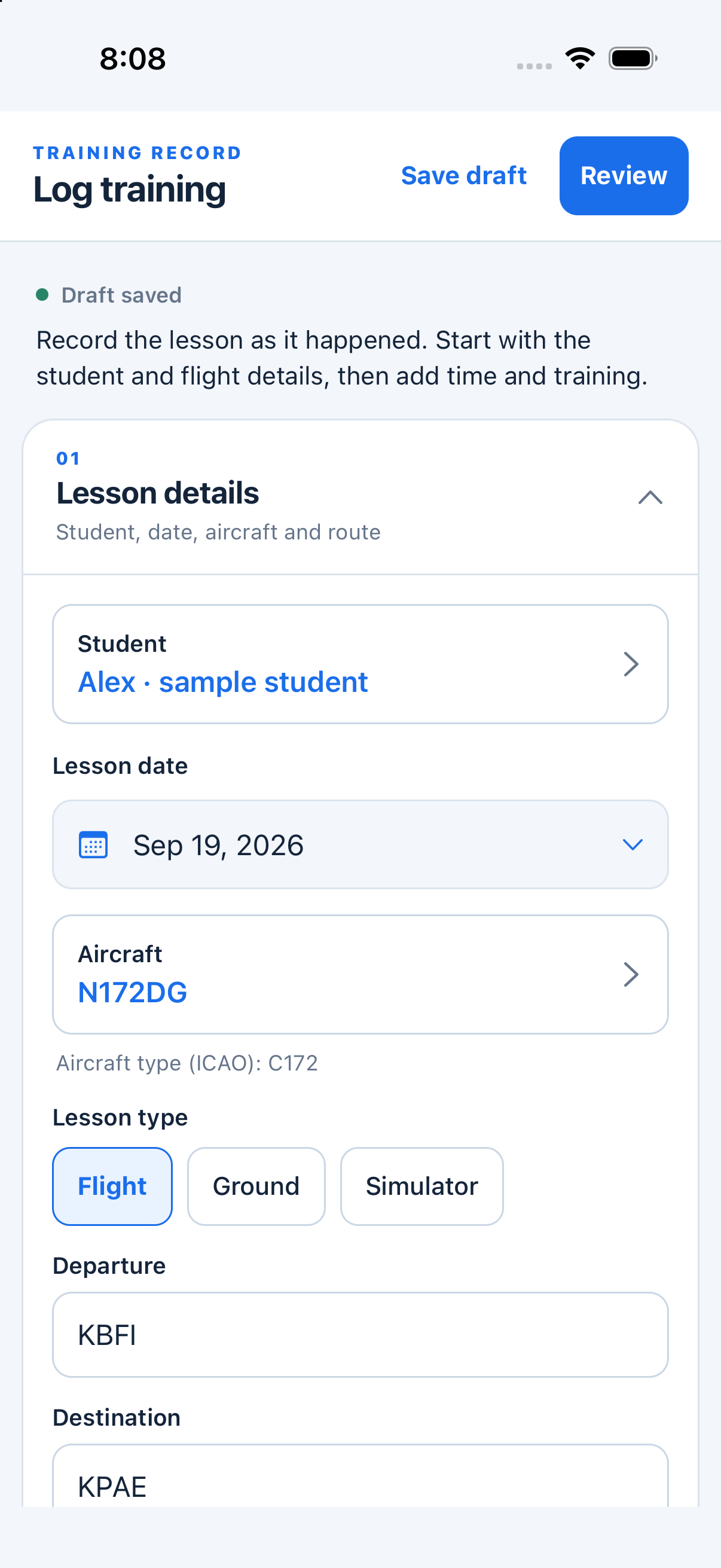
Record flight details, save a draft, and review training from the iPhone app between lessons.
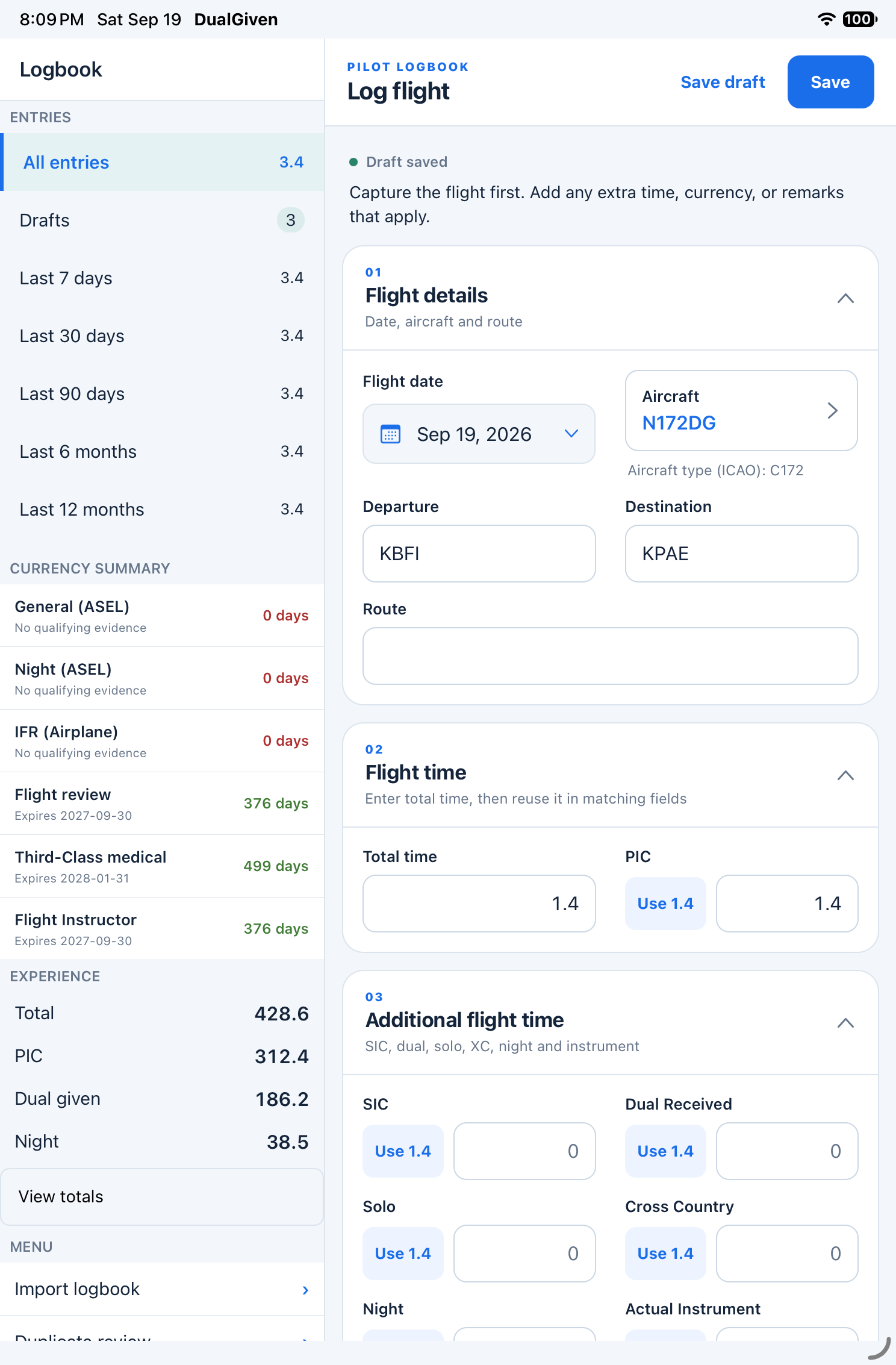
Use the iPad app’s larger workspace to review your logbook, flight times, and experience totals.
Real web and native app screens with demonstration records. Open a picture to see the full screen.
Explore web, iPhone & iPad access →From first import to first lesson
Build a professional student experience around the way you already teach.
Import supported ForeFlight or LogTen exports. Include source PDFs to review signed flights and endorsements, and confirm student matches during import.
Explore logbook import →Set up your instructor credentials and signature, connect Stripe and Google Calendar, and share your custom student portal login from your website.
Explore student onboarding →Scan documents, review extracted details, and file them with the student. Send training agreements for digital signature and keep the completed record close at hand.
Explore documents & agreements →Upload the written-test report, confirm the missed-question codes, and build a focused review guide with topics and practice questions.
Explore written-test review →Everything connected
Student progress
Keep each student’s program, recent lessons, and progress together. Pick up the next briefing where the last lesson left off.
Explore student progressTraining records & logbooks
Capture training, remarks, and flight time in one flow, with connected instructor and student logbooks.
Explore training records & logbooksEndorsements
Prepare endorsements from the library, review the details, and keep signed records with the student.
Explore endorsementsScheduling
Organize lessons and student appointments, with a Google Calendar connection for your teaching schedule.
Explore schedulingDocuments
Upload student documents, review the suggested match, and file them where you can find them next time.
Explore documentsQuizzes
Choose an aircraft checkout or pre-solo quiz, assign it to a student, and review the results.
Explore quizzesAircraft operations
Operate an airplane as part of your business? Connect reservations, Hobbs or tach billing, wet or dry rates, block discounts, inspection tracking, and squawks.
Control student scheduling access and keep flight-return meter readings with the aircraft record. The instructor plan includes one airplane; additional airplanes cost extra.
Explore aircraft operations →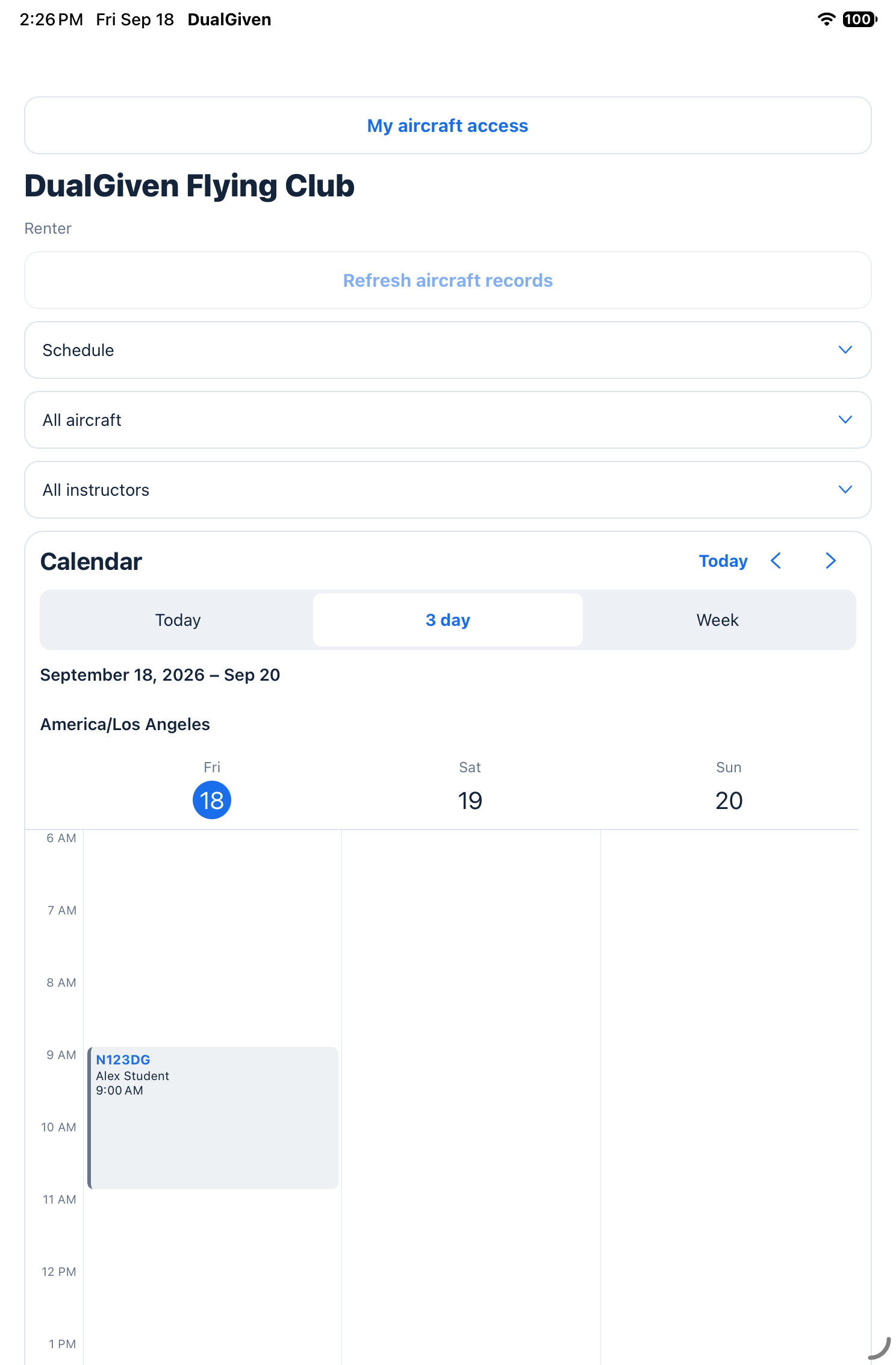

Built from the right seat
Robbie Rikard is an active independent CFI/CFII in Los Angeles. DualGiven grew out of his own training days: too many separate systems, too much duplicate entry, and students who deserved a clearer picture of their progress.
Robbie Rikard · Founder, CFI / CFIIRead the story →Before your first lesson with DualGiven
DualGiven is flight instructor software for independent CFIs and CFIIs. It brings student progress, scheduling, training records, logbooks, endorsements, quizzes, documents, and lesson billing into one workspace.
DualGiven costs $39 per month or $390 per year, with an instructor workspace, student access, and a 30-day trial. A card is required. Your subscription renews automatically after the trial unless you cancel. One airplane is included; additional airplanes cost extra. Student payment processing and platform fees are separate from your subscription.
No. Students join through your instructor workspace without a separate subscription. They get 60 days of student access when added, renewed by each instructor-signed flight. Inactive students or those who go 60 days without a signed flight keep free access to their logbook.
DualGiven supports logbook import and export workflows for ForeFlight and LogTen. Import flight entries first, then review PDF signatures and endorsements. These are file-based workflows, not a live connection to those apps.
Yes. Use DualGiven on the web and in the native iPhone and iPad apps with the same account. Start and manage your instructor subscription on the website. Supported flight capture, signatures, and scans work offline; billing, AI processing, and online tools require a connection.
You make the instructional decisions. DualGiven organizes training evidence and endorsement needs so you can review them. It does not replace your judgment about proficiency, eligibility, or readiness.
Your next training day, more organized
$39/month or $390/year after your trial. Student access included. Additional aircraft cost extra.
Card required. Renews automatically unless canceled. Student payment fees are separate.