
Pick the topic
Start with the subject, weak area, or training objective that needs reinforcement.
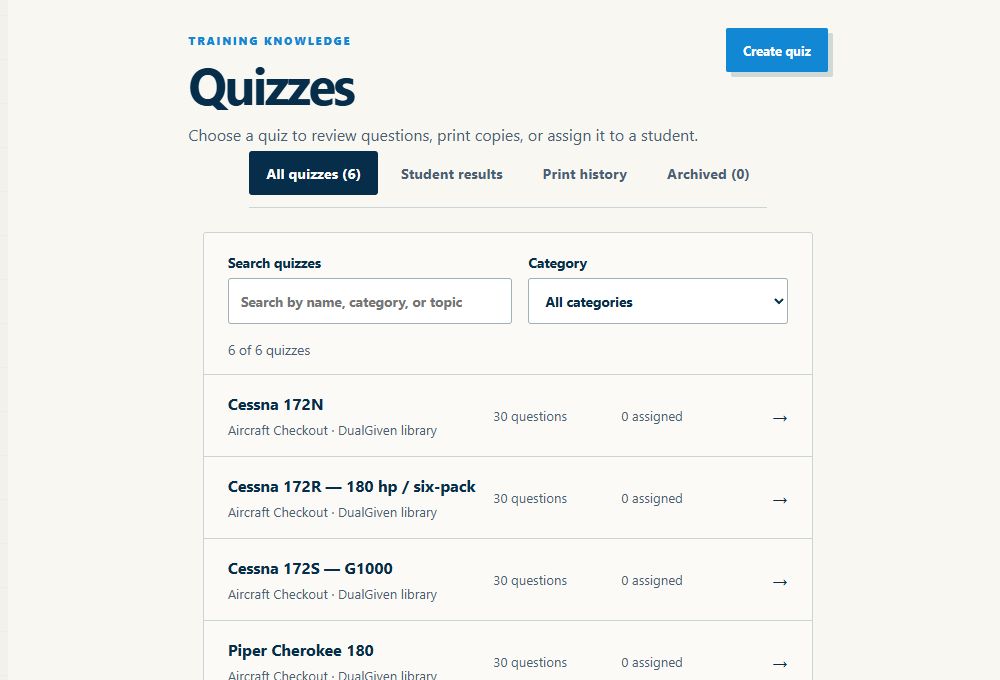
Give useful homework without building it from scratch
A student can leave a lesson with three things worth reviewing and still arrive next week having studied something completely different. DualGiven gives instructors a quick way to turn those weak spots into focused questions the student can complete in the app.
$39/month or $390/year after 30 days. Card required. Cancel before your trial ends to avoid a subscription charge.
In the training day
Start with the subject, weak area, or training objective that needs reinforcement.
Let AI accelerate the first draft while the instructor stays in control of what gets assigned.
Bring the student’s answers back into the next briefing instead of assigning generic homework.
What changes
Use AI assistance to draft questions around the topic you choose, then review and edit before assigning it.
Students can take the quiz in the same place they already use for their training information.
See how the student did and use that information to decide what deserves another explanation or another flight objective.
Provide a PDF or source URL, describe the coverage, and choose the number and types of questions. Generate a draft for pre-solo preparation, an aircraft checkout, or another training topic, then review it before assigning.
Students complete assigned quizzes in the app. AI assists with grading and explanations, including written answers; instructors can review the result. Save score reports with the student and choose whether to include correct answers and explanations.
Upload a knowledge-test report to extract missed-question codes and prepare a topic-based review guide with practice questions. Review the extracted codes and generated material before using it in instruction.
AI where it is actually useful
I do not need AI to tell me how to teach the student in front of me. I do want it to save time turning a topic, ACS area, or weak point into a useful first draft of a quiz that I can review before I send it.
About Robbie and DualGiven →Before your first lesson with DualGiven
DualGiven is flight instructor software for independent CFIs and CFIIs. It brings student progress, scheduling, training records, logbooks, endorsements, quizzes, documents, and lesson billing into one workspace.
DualGiven costs $39 per month or $390 per year, with an instructor workspace, student access, and a 30-day trial. A card is required. Your subscription renews automatically after the trial unless you cancel. One airplane is included; additional airplanes cost extra. Student payment processing and platform fees are separate from your subscription.
No. Students join through your instructor workspace without a separate subscription. They get 60 days of student access when added, renewed by each instructor-signed flight. Inactive students or those who go 60 days without a signed flight keep free access to their logbook.
DualGiven supports logbook import and export workflows for ForeFlight and LogTen. Import flight entries first, then review PDF signatures and endorsements. These are file-based workflows, not a live connection to those apps.
Yes. Use DualGiven on the web and in the native iPhone and iPad apps with the same account. Start and manage your instructor subscription on the website. Supported flight capture, signatures, and scans work offline; billing, AI processing, and online tools require a connection.
You make the instructional decisions. DualGiven organizes training evidence and endorsement needs so you can review them. It does not replace your judgment about proficiency, eligibility, or readiness.
Built by an active flight instructor